Designating Carriers
- Auto Designate carriers for the tracking number according to the carrier mapping. You can go to Store Connection to view or change the mapping (The system will automap. For some shipping methods that cannot be identified, please map them by yourself)
- For those shipping methods without carrier mapping, the system will identify the tracking numbers' carriers automatically.
- If the system identifies that one tracking number has more than one carrier and cannot define which one is correct, the system will designate a carrier with commonly used carriers and the priority setting.
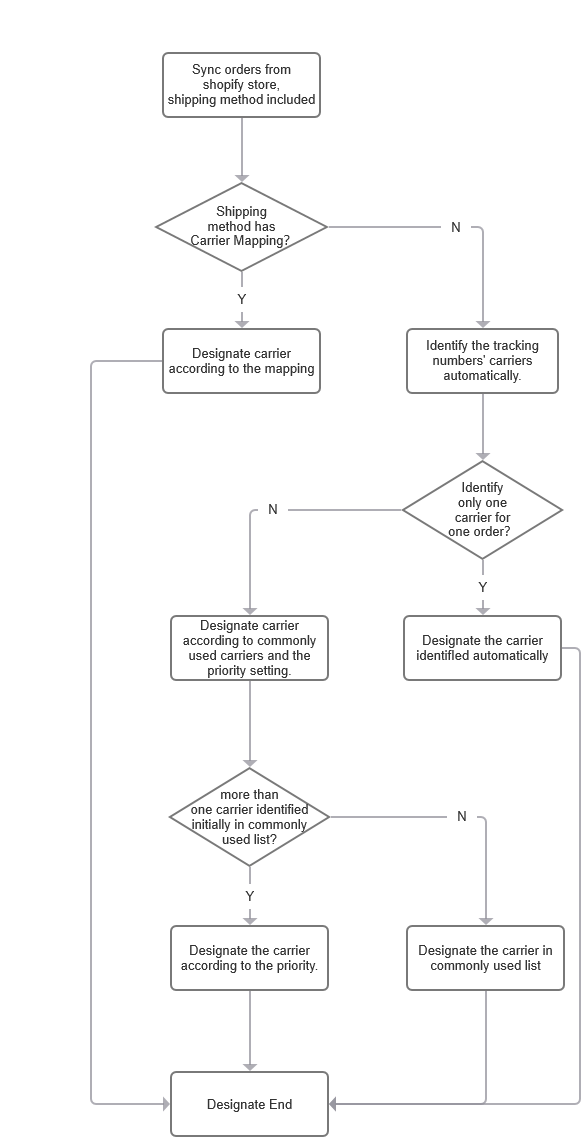
How to edit commonly used carriers and their priority?
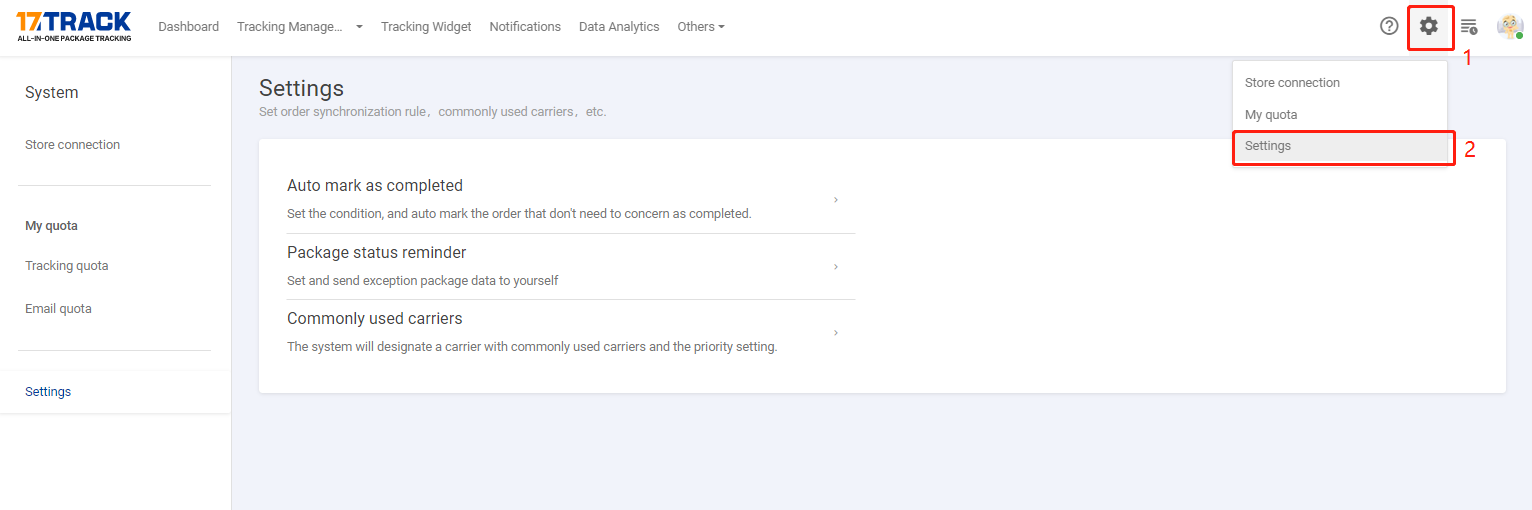
Go to the Settings > Click on Commonly used carriers > add or remove the commonly used carriers
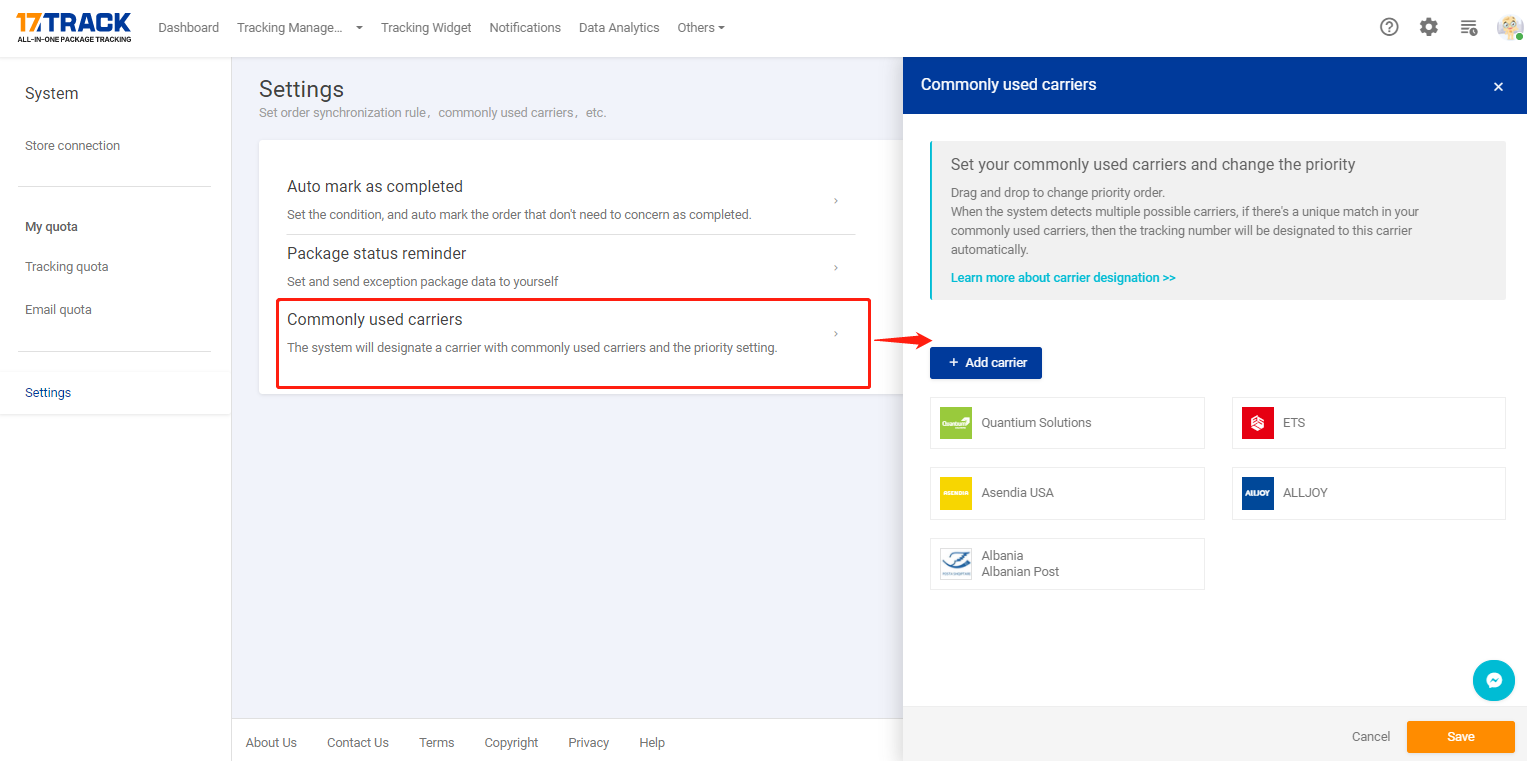
Please drag to change their position if you want the system to designate the carrier according to the priority.
